PCB Assembly Assistant
Vision system that projects placement markers onto PCBs. Built 8.5k lines of C++ then ported to 2k lines of Python, adding auto-calibration.
PCB Assembly Assistant
Technical focus
- Vision and ML pipeline aligning a live camera feed to PCB bitmaps with no manual screenshots.
- One-time camera-to-projector calibration to map placements accurately onto boards.
- Direct parsing of PCB design files and generation of real-time projected overlays.
- Multi-threaded Qt pipeline built first in C++ then ported to Python for faster iteration.
Results
- Projects per-component placement markers directly onto hardware, removing lookup time.
- C++ prototype ~8.5k lines of code, Python port ~2k lines of code with more features and easier maintainability.
- Separate threads keep the UI responsive while running camera feed, projection updates, and alignment/ML.
- Used for personal and team builds; pending commercialization to preserve IP after significant time and money investment.
Stack
PCB Assembly Assistant:
As Avionics Lead for the University of Toronto Rocketry Team, I hand-assemble large numbers of dense PCBs. Repeatedly locating rice-grain sized components is painfully slow and inefficient. To solve this, I built a full hardware and software system that accelerates manual PCB assembly using a laser projector paired with a document scanner camera.
The system projects precise, real time placement markers directly onto the physical PCB and I built end-to-end:
- A vision and ML pipeline that aligns a live camera feed with a reference PCB bitmap.
- One time calibration to map camera space to projector space with high accuracy.
- Direct parsing of PCB design files with no screenshots or manual alignment required.
- Real time projected overlays showing exactly where each component should be placed.
- I initially implemented the entire system in C++ for performance, then transitioned to Python to improve iteration speed and long term maintainability.
I built the C++ version on the following stack of libraries:
- Qt6 for the Graphical User Interface (strictly under the LGPL-V3.0 License).
- OpenCV for computer vision and image processing.
- Zlib+Quazip for automatic opening of .zip Gerber files.
- OpenCASCADE for rendering 3D models from PCB design files to 2D stencils.
- CMake to build the project.
I used the Qt Creator form builder to design a portable, dynamic, and complete user-interface. The Python port also used Qt, but with a re-built interface which was code-first rather than a loaded form in the C++ version. In both versions I handled:
- Multi threading, one for a responsivee UI, one for constant camera feed and projection updates, and one for heavy alignment / active ML inference operations.
- Responsiveness, configurability, and clean appearance were my first priorities on top of the core functionality.
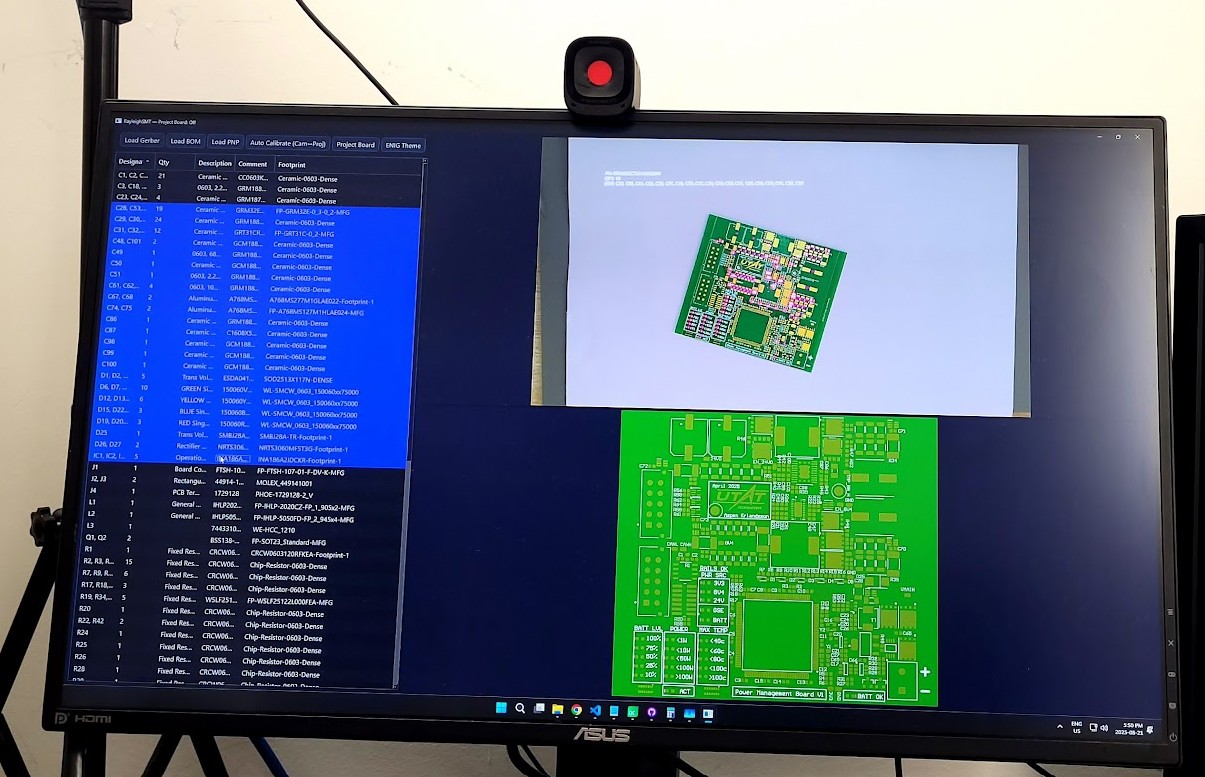
The C++ prototype has around 8,536 lines of code, and the Python version has ~2000 but with more features, highlighting the line-efficiency of Python over C++.
While building this system I had the focus of commercializing it in mind, which drove many user-friendly and portability-first design decisions. After building the system I have found it to be an excellent tool for personal and school projects, but I am holding off on commercialization for now.
Deep market research and multiple interviews with industry professionals lead me to conclude that the product most likely has a place, but it would take quite some commitment of traveling to fabrication and assembly houses to demo, setup, and maintain the system as it features a hardware component in addition to software. Given my current status of working to finish my Bachelors degree it would not make sense to make the commitment at this time, but I can see myself pushing this after graduation.
Due to the large amount of time (and some money) invested into this potentially commercializable product, this writeup is intentionally vague and high-level. As I have learned, the execution of a product is much more important than the idea, so I am comfortable sharing the premise without the details. Below is a short video of an (old) prototype demonstrating the concept.